How to Schedule a WhatsApp Message (What Works in 2026)
WhatsApp has no schedule button for regular chats. What its Help Center does document: scheduled business broadcasts, away messages, events and reminders.
 Nicolas ProvostOct 7, 2026 · 10 min read
Summarize this article with an AI
 ChatGPT
 Claude
Table of contents (9)
Key takeaways
- WhatsApp has no built-in way to schedule a regular chat message to a contact or a group, as of October 7, 2026.
- The WhatsApp Business app can schedule business broadcasts and away messages, but broadcasts are paid, reviewed by Meta and limited to certain countries.
- For personal chats, an event with a date and time or a Meta AI reminder is the documented route, while iPhone Shortcuts automations remain an unsupported workaround.
- Unofficial apps such as GB WhatsApp violate the Terms of Service and can get your account banned temporarily or permanently.
WhatsApp has no built-in way to schedule a regular chat message: as of October 7, 2026, its Help Center describes no option to write a message now and have it sent later to a contact or a group. What it does document is narrower: scheduled business broadcasts and away messages in the WhatsApp Business app, events with a date and time in any chat, and reminders from Meta AI.
On iPhone, Apple's Shortcuts app can also run an automation at a set time. This guide covers each option with its official steps, and says plainly what is supported and what is not. All pages were read on October 7, 2026.
Can you schedule a message in WhatsApp itself?
No, not for an ordinary conversation. We searched WhatsApp's Help Center for "schedule message", "scheduled messages", "schedule" and "send later": no article describes scheduling a chat message. The results that do involve scheduling are about business broadcasts, away messages and Meta AI tasks.
WhatsApp rolls out some features gradually. If a schedule option ever appears in your app, it is the official route and it replaces the workarounds below. Until the Help Center documents one, these are the options.
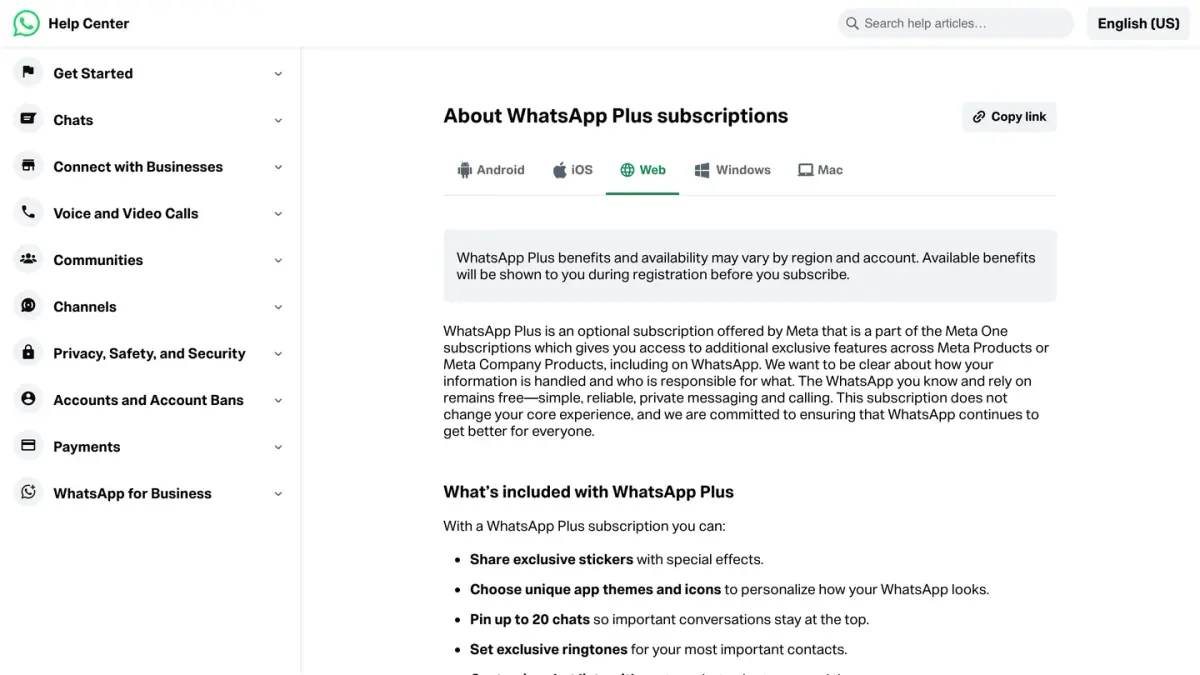
The official WhatsApp Plus subscription does not add it either. The benefits listed on WhatsApp's page About WhatsApp Plus subscriptions are stickers, app themes and icons, extra pinned chats, ringtones and custom chat lists.
Here is what exists, depending on what you are trying to do:
| What you want | Official option | Where | Main limits |
|---|---|---|---|
| Send an announcement to customers at a set date and time | Scheduled business broadcast | WhatsApp Business app | Paid, reviewed by Meta, limited countries |
| Reply automatically when you are away | Away message with a schedule | WhatsApp Business app | Only answers people who write to you |
| Set a date and have people reminded | Event | Any individual or group chat | It is an invitation, not a message sent later |
| Be reminded to send something yourself | Scheduled task with Meta AI | Chat with Meta AI | Limited countries, the reminder goes to you |
| Trigger something at a set time on iPhone | Shortcuts automation | Shortcuts app | Documented by Apple, not by WhatsApp |
How do you schedule a business broadcast in the WhatsApp Business app?
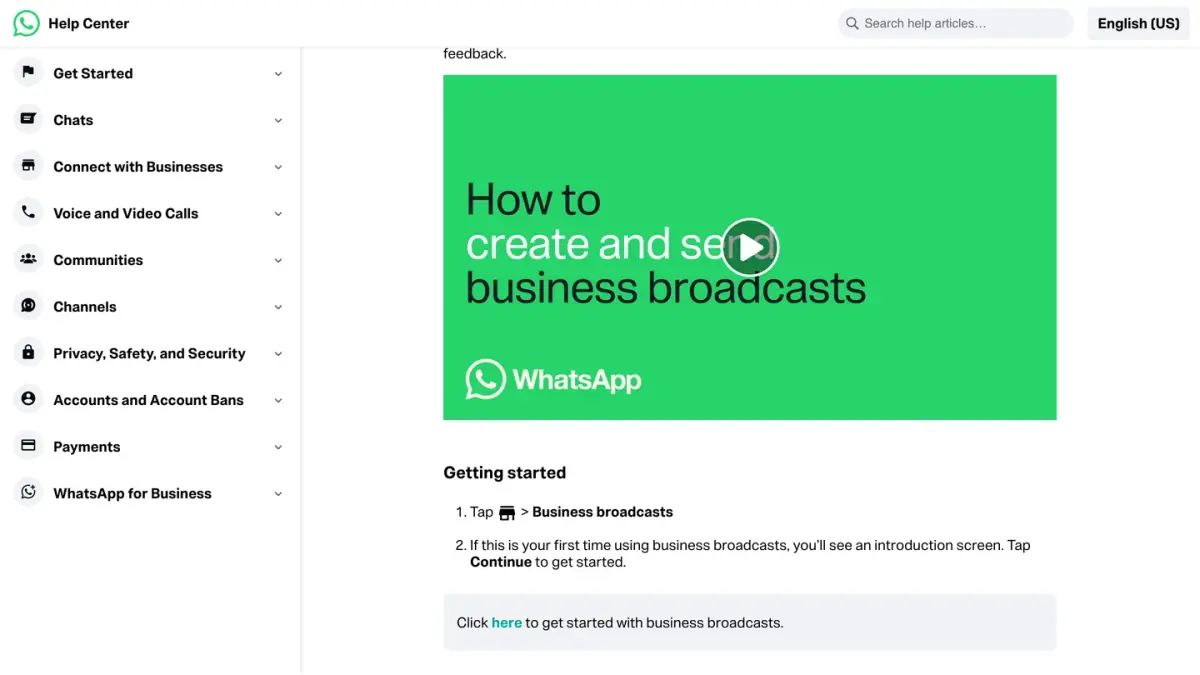
This is where WhatsApp lets you pick the date and time at which a message is sent. Business broadcasts exist only in the WhatsApp Business app, the separate WhatsApp app for businesses. The steps come from WhatsApp's page How to create and send a business broadcast:
- Open Tools > Business broadcasts.
- Select your audience.
- Write the message, and add a photo or an action button if you want one.
- Tap Next to preview it.
- On the review screen, tap Schedule instead of Send now.
- Select a date, tap OK, select a time, tap OK, then Done.
On the same page, WhatsApp attaches several conditions to this feature (as of October 7, 2026):
- It is paid. WhatsApp says business broadcasts are sent for a fee once your free messages are used up. Paid business messaging is part of how WhatsApp makes money.
- Meta reviews the message before it goes out.
- It is not available everywhere. WhatsApp says the feature exists in limited countries. Where it is not available, you may still see the older "marketing messages" name.
- Your phone has to be online at the scheduled time. If it is not, the app retries after one minute, then every 10 minutes, up to 10 times.
- The send is not instant. WhatsApp mentions a processing delay that is usually a few seconds but can reach 3 hours.
- Consent is required. Businesses must have their customers' opt-in and honor requests to stop.
How do you schedule an away message?
Also in the WhatsApp Business app, an away message replies automatically to people who write to you. You choose when it applies. From WhatsApp's page How to use away messages:
- From the Tools tab, tap Away message.
- Turn on Send away message.
- Tap the message to edit it, then tap OK.
- Tap Schedule and choose Always send, Custom schedule or Outside of business hours. The last option requires business hours in your business profile.
- Tap Recipients to choose who gets it, then Save.
Two limits: the phone needs an active internet connection for the reply to go out, and an away message only answers incoming messages. It will not start a conversation at a time you choose. The same goes for the greeting message, which WhatsApp sends when a customer writes to you for the first time or after a period of inactivity, not on a date.
How do you use an event to announce a date in a chat?
For anything that happens at a fixed time (a dinner, a call, a deadline), an event often does the job better than a scheduled message. WhatsApp's page How to create and edit events in groups gives the steps, which work in an individual chat or in a group:
- Open the chat and tap the attachment icon, then Event.
- Enter the event name, date and time.
- Add a description, an end time, a location or a WhatsApp call link if you need them.
- Send it.
The event appears in the chat right away. People answer Going, Maybe or Not going, and those who answered Going or Maybe get a notification when the event begins. Only the creator can edit or cancel it, an event cannot be forwarded to another chat, and with disappearing messages turned on you may not be able to create events in advance.
Still choosing the date? Start with a poll, then create the event.
How do you get a reminder from Meta AI at a set time?
If the real goal is not to forget to send something, Meta AI can remind you. According to WhatsApp's page How to schedule tasks with Meta AI and receive reminders:
- Open the chat with Meta AI.
- Describe the task and when you want the reminder, in plain words.
- Send it.
A task can be one-time, daily, weekly or monthly. To see or delete your tasks, open the chat, tap Meta AI, then Scheduled.
Two caveats from the same page: Meta AI is only available in limited countries, and what it sends at the scheduled time is a reminder to you. The page does not describe Meta AI sending a message to one of your contacts.
Can iPhone Shortcuts send a WhatsApp message at a set time?
This workaround comes up a lot, so here is exactly what is documented.
What Apple documents. The Shortcuts app can run an automation at a set time of day, repeated daily, weekly or monthly (Event triggers). The way to create one depends on your iOS version (Apple's guides as of October 7, 2026):
- iOS 26 and iOS 18: in Shortcuts, tap Automation, then Create Personal Automation. Choose the Time of Day trigger, set its options, tap Next, then Add Action and pick an action from the Categories or Apps list (Apple's guide for iOS 26).
- iOS 27: open or create a shortcut, tap Edit, then Automation, and choose a trigger such as Time of Day (Apple's current guide).
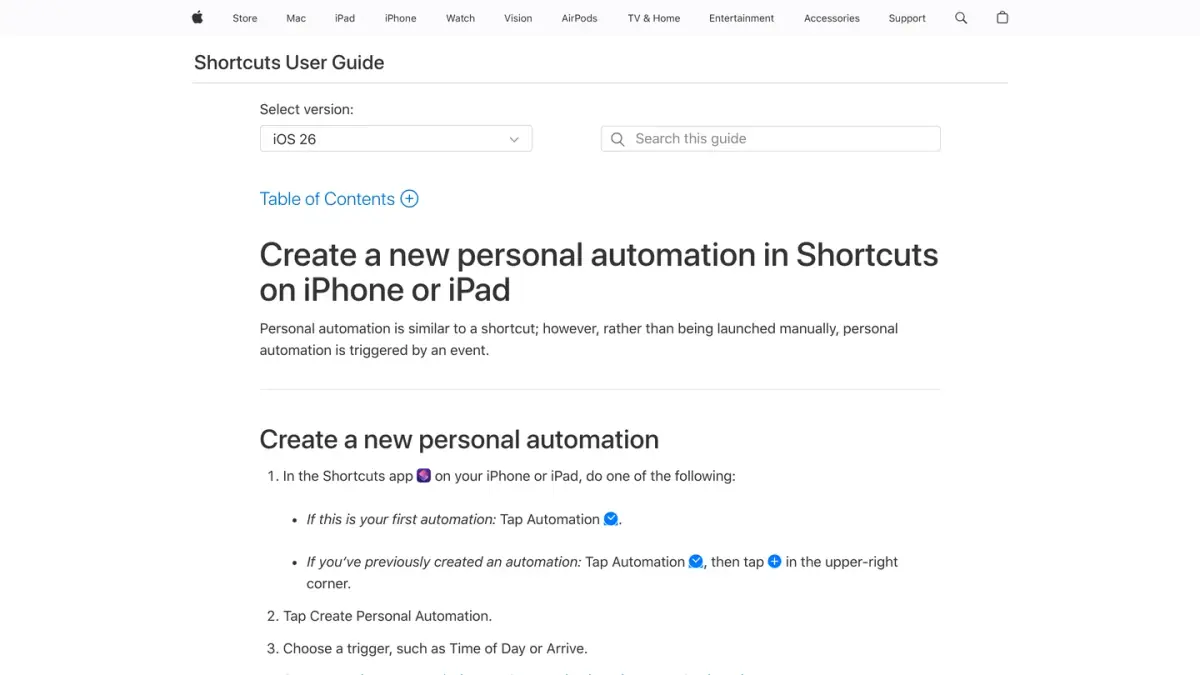
Apple also explains that the actions of an app are grouped under Apps, then the app's name, in the action list, and that an automation asks for confirmation unless you allow it to run without asking.
What WhatsApp documents. Its page How to use Siri with WhatsApp says Siri can send WhatsApp messages once Use with Siri Request is turned on for WhatsApp in the iPhone's Siri settings.
What neither documents. No Apple or WhatsApp page read for this guide describes a WhatsApp action inside a Shortcuts automation, or promises that a message will leave on its own at the set time. If WhatsApp's actions show up in the Apps list on your iPhone, you can build the automation, but treat it as unsupported:
- Test it by sending a message to yourself first.
- Apple notes that individual actions may also need to be set to run automatically, so check that the automation does not stop to ask you for confirmation.
- A Time of Day trigger repeats. For a one-off message, turn the automation off or delete it afterwards.
On Android, WhatsApp's Help Center has no equivalent of the Siri page. The documented options are the in-app ones described above.
Why should you avoid unofficial scheduling apps?
Because the feature you gain is not worth the account you risk. WhatsApp's page About unofficial apps says that using unofficial versions of WhatsApp, or linking your account to them, violates its Terms of Service. It names GB WhatsApp and FM WhatsApp among the examples and lists the consequences:
- They can carry malware that steals your data.
- Nothing guarantees that your messages, location or files stay private.
- The account can be banned temporarily or permanently, or restricted.
We found no Help Center page that supports third-party "scheduler" apps either, and we do not recommend them.
Two last habits protect you with any method. Do not schedule the same message to a long list of people who did not ask for it: that is how senders end up blocked. And if a message leaves at the wrong moment, you can still delete it for everyone within the time limit.
If you need to schedule messages for an online store
A message from a store to its customers is a campaign, not a chat message. Kanal lets a Shopify store schedule WhatsApp campaigns in advance.
If you run a business account, messages sent at scale through the WhatsApp Business API are billed by Meta per delivered message, and automatic answers are the job of a chatbot. See how much a WhatsApp Business message costs and the WhatsApp chatbot comparison.
Sources
Pages read on October 7, 2026:
- WhatsApp Help Center: How to create and send a business broadcast
- WhatsApp Help Center: How to use away messages
- WhatsApp Help Center: How to use greeting messages
- WhatsApp Help Center: How to create and edit events in groups
- WhatsApp Help Center: How to schedule tasks with Meta AI and receive reminders
- WhatsApp Help Center: How to use Siri with WhatsApp
- WhatsApp Help Center: About WhatsApp Plus subscriptions
- WhatsApp Help Center: About unofficial apps
- Apple, Shortcuts User Guide: Add automations to Shortcuts, Create a new personal automation (iOS 26), Event triggers, Navigate the action list
Nicolas helps e-commerce brands grow revenue with WhatsApp marketing. With deep expertise in Shopify ecosystems and conversational commerce, he shares proven strategies for abandoned cart recovery, broadcast campaigns, and AI-powered customer engagement.